
Uncompromising Power
On Your Desktop
Run high-frequency data calculation engines and microsecond-level local technical indicators directly on your own hardware. Zero cloud latency. Absolute custody of algorithms. Available for Windows & macOS.
Auto-Detection Telemetry
Detected OS: Locating System...
Strat Ai for Windows
x64 / ARM64 Architecture compatible
Highly integrated local desktop client compiled natively for Windows architecture. Fully supports GPU-accelerated candlestick rendering (DirectX 12) and low-latency system-level sockets.
Strat Ai for macOS
Apple Silicon (M1/M2/M3/M4) & Intel
Optimized local binary package with fully integrated Metal framework shaders. Provides ultra-smooth multi-monitor charting telemetry and deep hardware-level secure sandboxing.
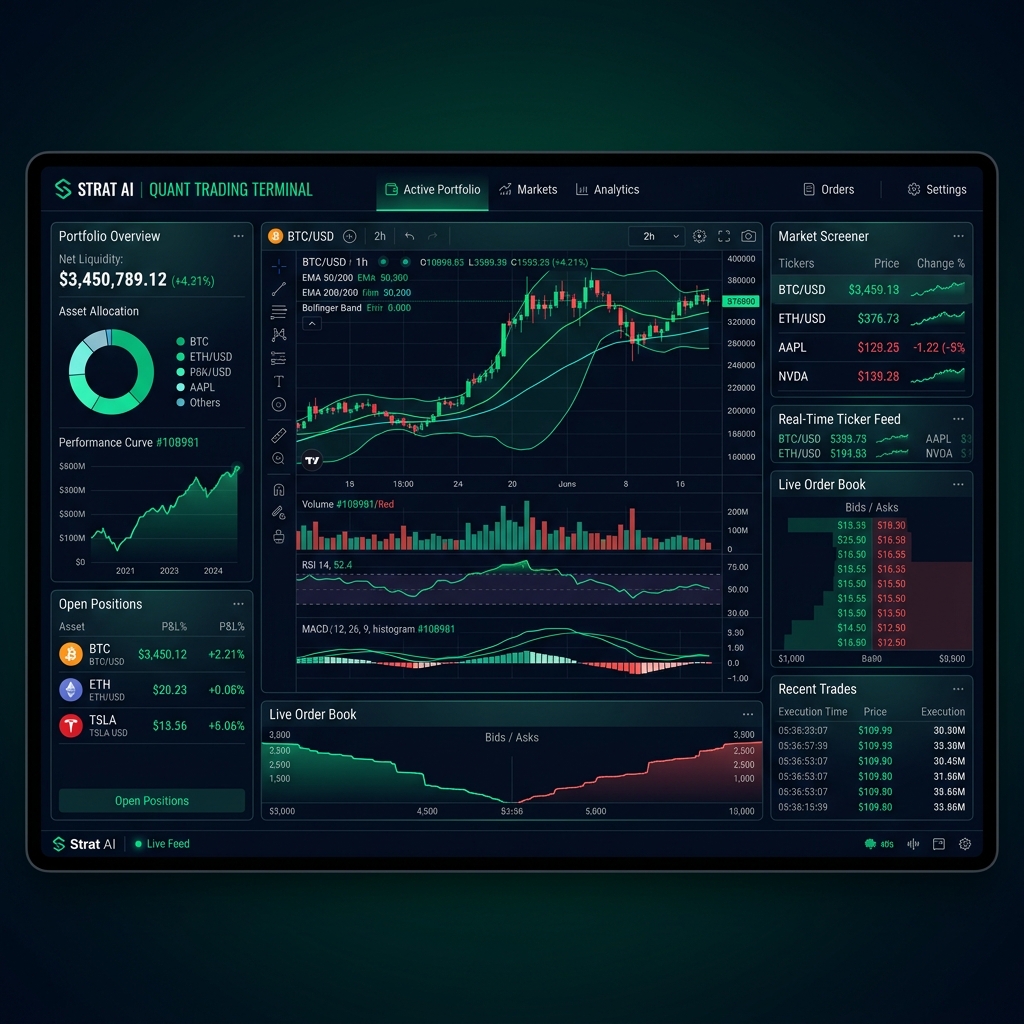
Visual Clarity at 120 FPS
Explore a completely locally computed, high-fidelity quantitative analysis terminal, optimized for heavy charts and direct WebSockets.
Command Line & Guided Setup
Windows CLI Package Installation
Install and update Strat AI seamlessly via Microsoft's official Windows Package Manager (winget).
Download Binary
Execute the downloaded installer (`.exe`) file to launch the local installation wizard setup.
SmartScreen Bypass
Since Strat AI compiles indicators locally, click "More Info" and "Run Anyway" if triggered.
Local API Auth
Launch the terminal and authenticate using your premium license key to buffer initial market feeds.
System & Hardware Specifications
| Hardware Parameter | Windows Specification | macOS Specification |
|---|---|---|
| Operating System | Windows 10/11 (64-bit, Build 19041+) | macOS 12.0 Monterey or higher |
| Processor (CPU) | Intel Core i5 / AMD Ryzen 5 or better | Apple Silicon (M1/M2/M3/M4) or Intel Core i5 |
| Graphics (GPU) | DirectX 12 capable GPU (NVIDIA GTX 1050 / AMD equivalent) | Metal-compatible integrated or discrete GPU |
| System Memory (RAM) | 8 GB RAM minimum (16 GB recommended for high-volume ticks) | 8 GB Unified Memory minimum (16 GB recommended) |
| Local Storage | 500 MB free space on SSD (Solid State Drive) | 450 MB free space on SSD (Solid State Drive) |
Secure Local Workstations & Data Protection
Strat AI builds all indicators, algorithms, and models directly inside your workspace's CPU/GPU enclave. Your private API keys, proprietary strategies, and tick logs are never transmitted to any cloud servers. Everything remains fully local and secure under your direct control.